Submitting Unofficial Transcripts in the Application
When filling out the online application for Engineering for Professionals, you may upload your unofficial transcripts from all degree-granting institutions you have attended. You likely received these from their registrar’s office in person, via email, or through their website.
Please note: The “Academic History” section of the online application is designed to accept one transcript. This should be from the undergraduate institution that awarded your bachelor’s degree. If you attended more than one undergraduate institution or any graduate institutions, you should add/upload those transcripts on the “Student Status” page after you have submitted the application (see image below):
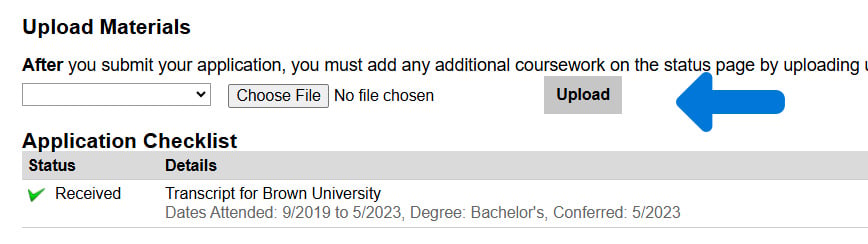
This section of the Student Status page is where you upload transcripts from additional institutions you attended besides the institution where you received your undergraduate degree.
Submitting Official Transcripts
If you are accepted into Engineering for Professionals, you will need to submit your OFFICIAL transcripts in order to register for classes. To make the process as easy and fast as possible, we recommend submitting your official transcripts as soon as you complete the application.
Transcripts are only deemed official if Engineering for Professionals receives them at ep-transcripts@jhu.edu DIRECTLY from the degree-granting institutions or a third-party provider.
For students who studied in the United States, third party providers include National Student Clearinghouse or Parchment
If you are any international student, utilize WES or any NACES organization member.
Third Party Provider Instructions
National Student Clearinghouse
Select “Johns Hopkins University – Arts Sciences and Engineering” as the school AND “Engineering for Professionals Admissions” as the department (see below). You MUST select the department in addition to the school on your transcript order. Failure to indicate the department indicated above could delay or cancel your order.
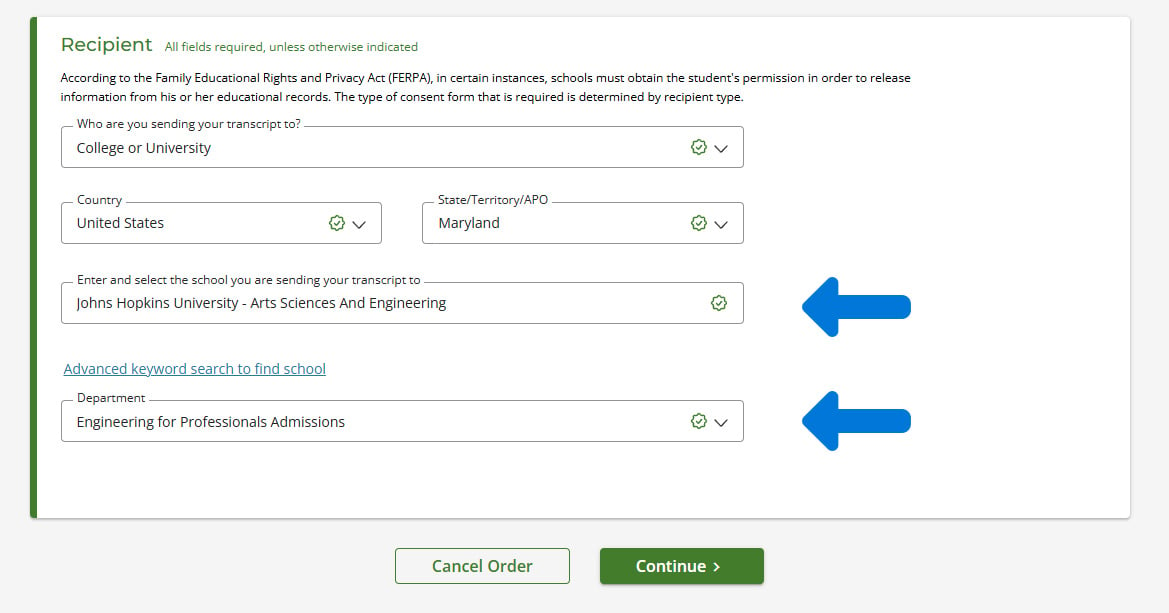
Be sure to select both options to ensure your order is processed correctly.
Parchment
Select “Johns Hopkins University — Graduate Programs” as the recipient (see below)
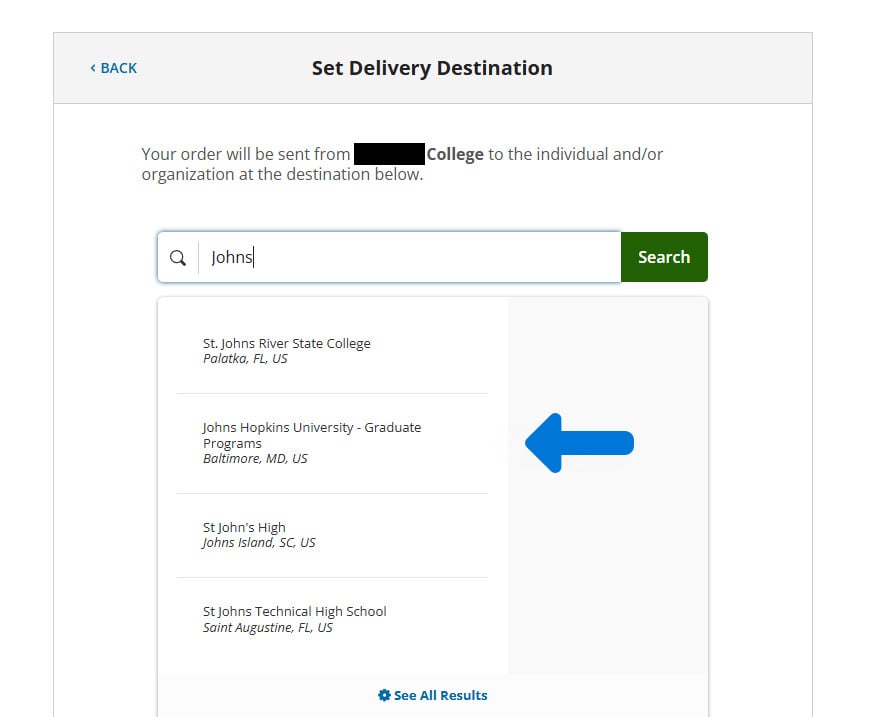
Confirmation of Receipt from EP
After you accept your offer of admission and submit your official transcripts, you will receive a verification email in 3-5 days from ep-transcripts@jhu.edu that your official transcripts have been received and verified.
If you have trouble sending your transcript, you can email ep-transcripts@jhu.edu for further support.
Unofficial Transcript Checkmark on the Student Status Page
The “application checklist” on the Student Status page may show a green checkmark and “Received” next to your transcript details, but this ONLY refers to your unofficial transcripts. You will still need to submit official transcripts. Follow the instructions above.
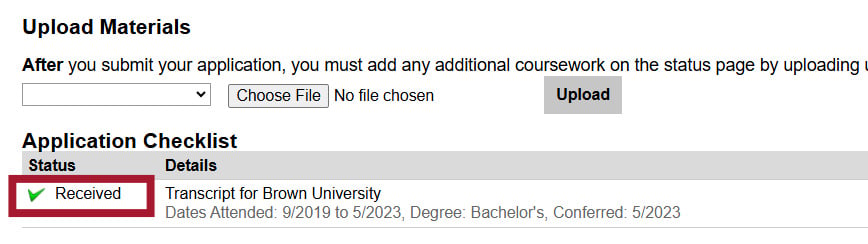
The checkmark and “received” in the red box refer to your unofficial transcript. You will still have to submit official transcripts in order to register for classes.
Need Assistance with Your Transcripts?
If you have trouble sending your transcript, you can email ep-transcripts@jhu.edu for further support.